
Public
Plotly in production (Pokémon Dashboard)
An interactive dashboard built with Python + Plotly to explore and compare data, with practical lessons on performance, UX, and shipping without writing JavaScript.
TL;DR
- Interactive Python + Plotly/Dash dashboard (Pokémon) shipped without writing JavaScript.
- Focused on real trade-offs: performance, UX, and maintainable structure.
- Delivered a reproducible repo/template with patterns like pre-aggregation and layout reuse.
Reusable patterns
- Layered code structure: load → compute → figures (testable and readable).
- Pre-aggregation + layout reuse for performance.
- Consistent UX: empty states, labels, and sensible defaults.
- Separation of Plotly Express (speed) vs graph_objects (fine control).
Context
Many teams want web interactivity without a full frontend stack. Plotly (and Dash) gets you there quickly in Python.
This case summarizes real patterns and trade-offs using a dashboard as an end-to-end product: data, figures, UI, and deployment.
Decisions
- Layered architecture: load → compute → make_figures to keep code readable and testable.
- Compact controls and views: enough to explore without turning into an “infinite dashboard”.
- Performance: pre-aggregation and layout reuse to avoid recomputing everything on every interaction.
Architecture
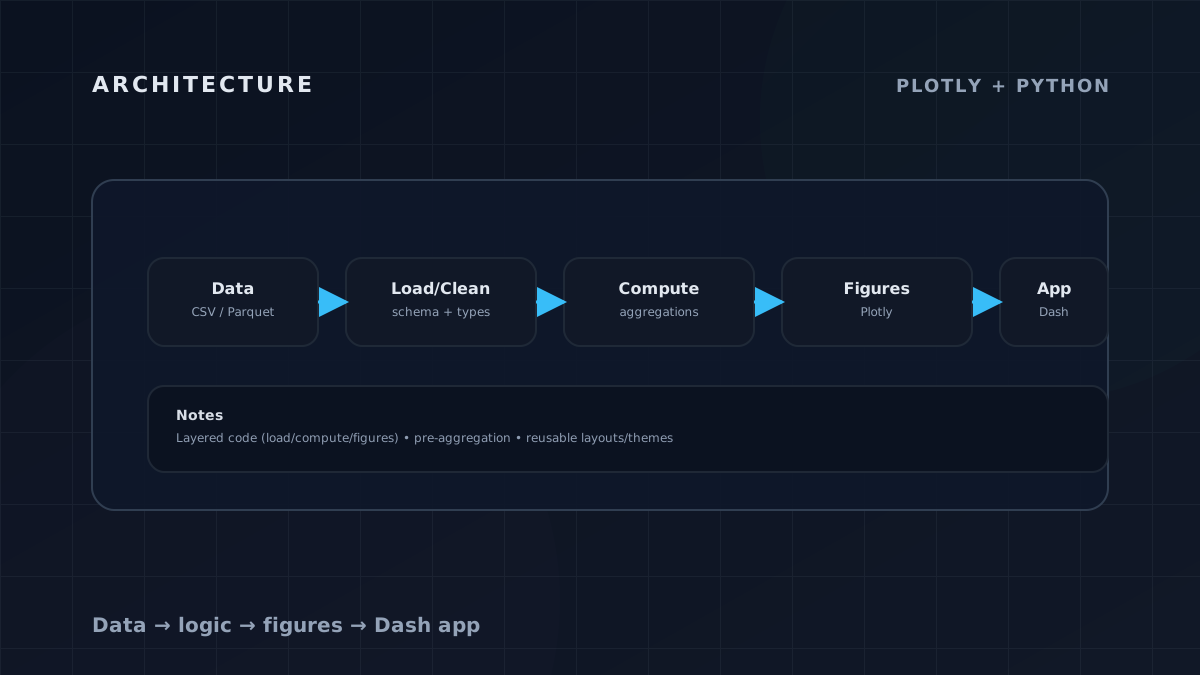
- Plotly Express for fast iteration; graph_objects when you need fine control.
- Export/share as an artifact (HTML or repo) to make distribution frictionless.
Outcome
- A reproducible repo that doubles as a template for future dashboards.
- A clear checklist of limits (large data, extreme customization) and mitigations.
- Transferable practices: visual consistency, empty states, and basic accessibility.